The Xpress ASSIST app puts a CONNECT TO XPRESS button on your PC. One click tells our team you need help, and an Xpress support technician joins you on screen. Nothing is shared until you click Allow.

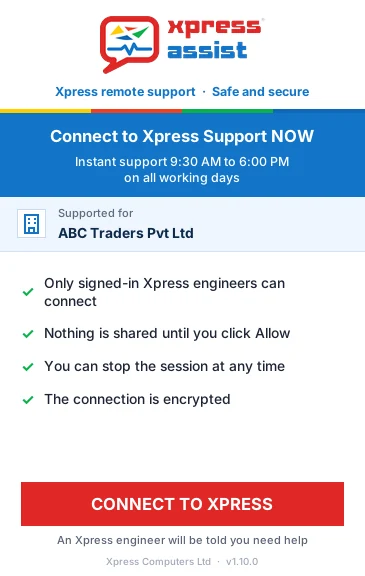
You install it once. After that, help is always one click away.
Click Download for Windows above. The file is called Xpress-ASSIST-Setup.exe.
Open the file and follow the steps. Windows asks for admin rights. If it shows a blue Windows protected your PC box, see the question below.
Open Xpress ASSIST from the desktop or Start menu whenever you need help. Our team is told at once.
This is the general Xpress ASSIST app. It works for anyone, and an Xpress support technician can help you straight away.

Yes, if you downloaded it from getxpressassist.com. Windows shows this box for apps it has not seen often. Click More info, check that the file is Xpress-ASSIST-Setup.exe, then click Run anyway. If you are not sure, call us first on +91 22 6612 2000.
No. Only signed-in Xpress staff can connect, and only after you click CONNECT TO XPRESS and then Allow. You can stop the session at any time, and the connection is encrypted.
No. Xpress ASSIST updates itself, so you always have the latest version. Download it again only if the app is missing from your PC.
Not yet. The Mac app is coming. Until then, call us and we will help another way.
For Xpress ASSIST customers, help is part of your plan. If you are not a customer yet, we will tell you before any chargeable work starts. See our plans, or try the free IT health check.
Go to Windows Settings > Apps, find Xpress ASSIST and click Uninstall. You need admin rights.
Call an Xpress support technician, 9:30 AM to 6 PM on working days.