Help is one click away, on every PC
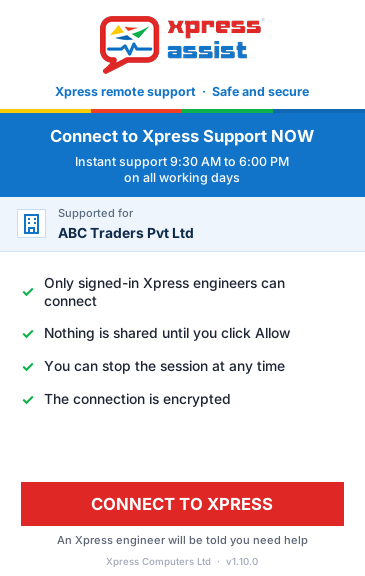
A small, friendly window on every PC, notebook and server, with your company's name on it. No phone numbers to look up, no complaint numbers, no queue on hold.
- "Connect to Xpress" sends your request straight to our support technicians
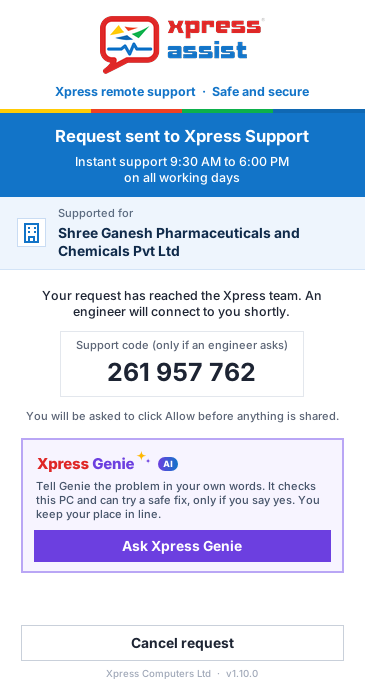
- A support code and your place in line, so you know help is coming
- Works on Windows 10, Windows 11 and Windows Server 2012 R2 and later
- Runs quietly in the background, watching the PC's health
Xpress Genie fixes the small stuff, any time
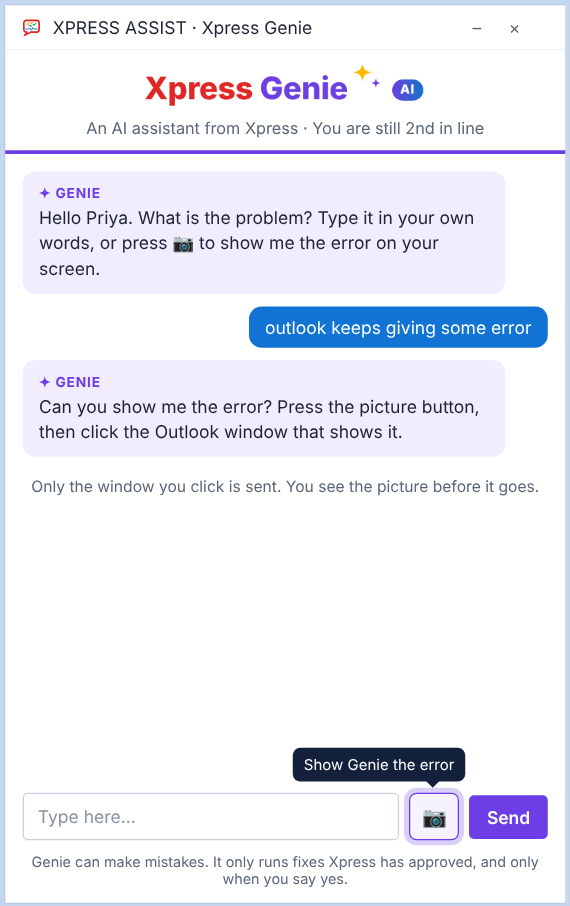
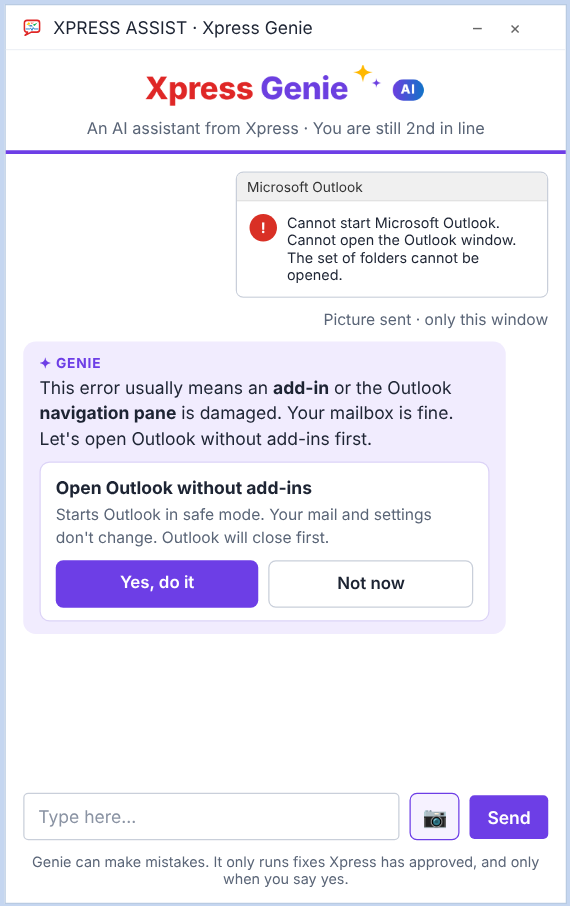
While you wait, or at 11 at night, tell Xpress Genie the problem in your own words. It checks the PC and offers a safe fix, and it only acts when you say yes.
- 30 fixes approved by Xpress: printing, Outlook, Teams, Wi-Fi, slow PCs and more
- Show Genie the error with one button
- Common problems fix themselves, and you get a note in the morning
- Still stuck? It hands over to a support technician with the details
- Every Genie fix is logged as a support call
Your whole IT estate, in one view
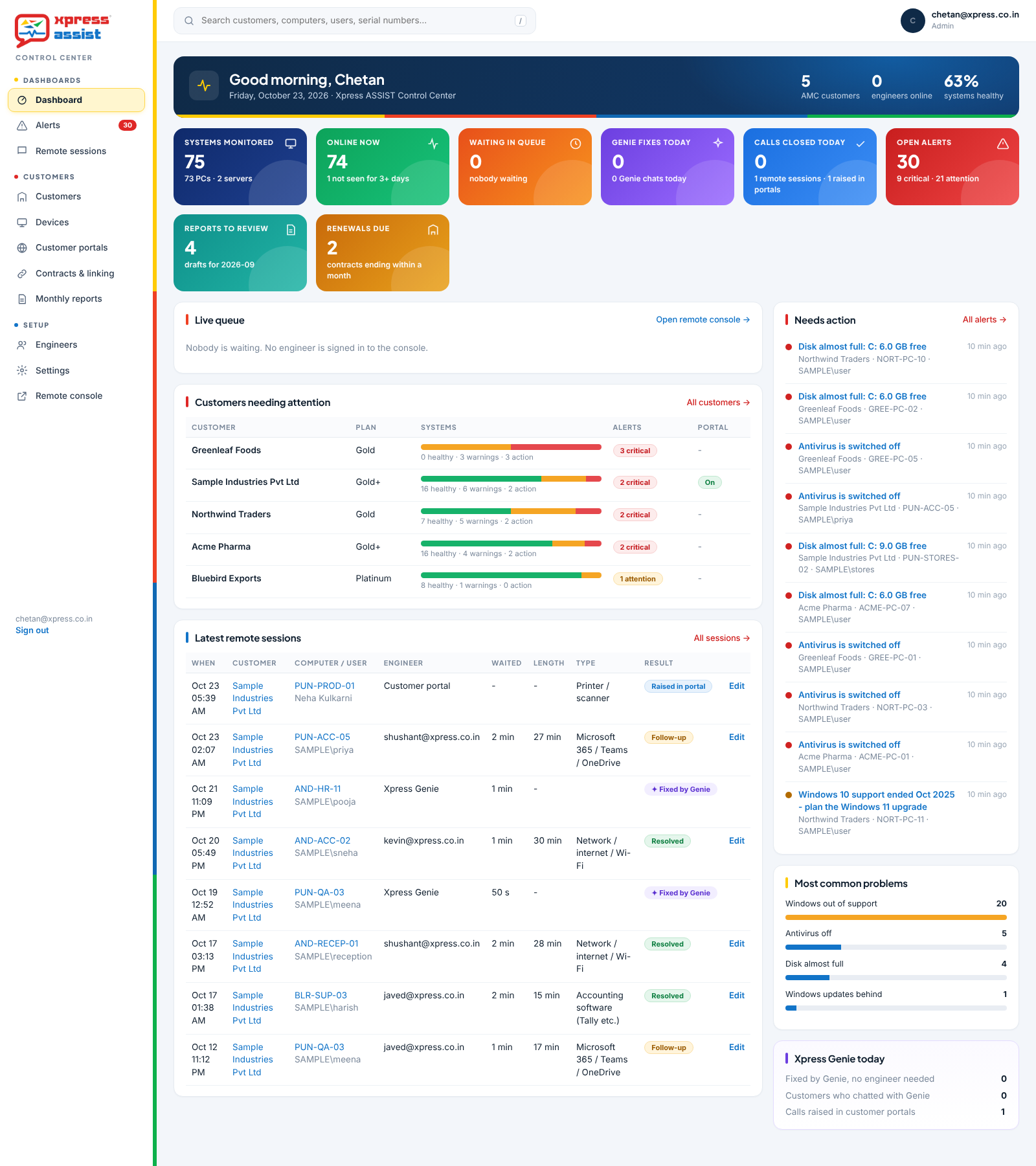
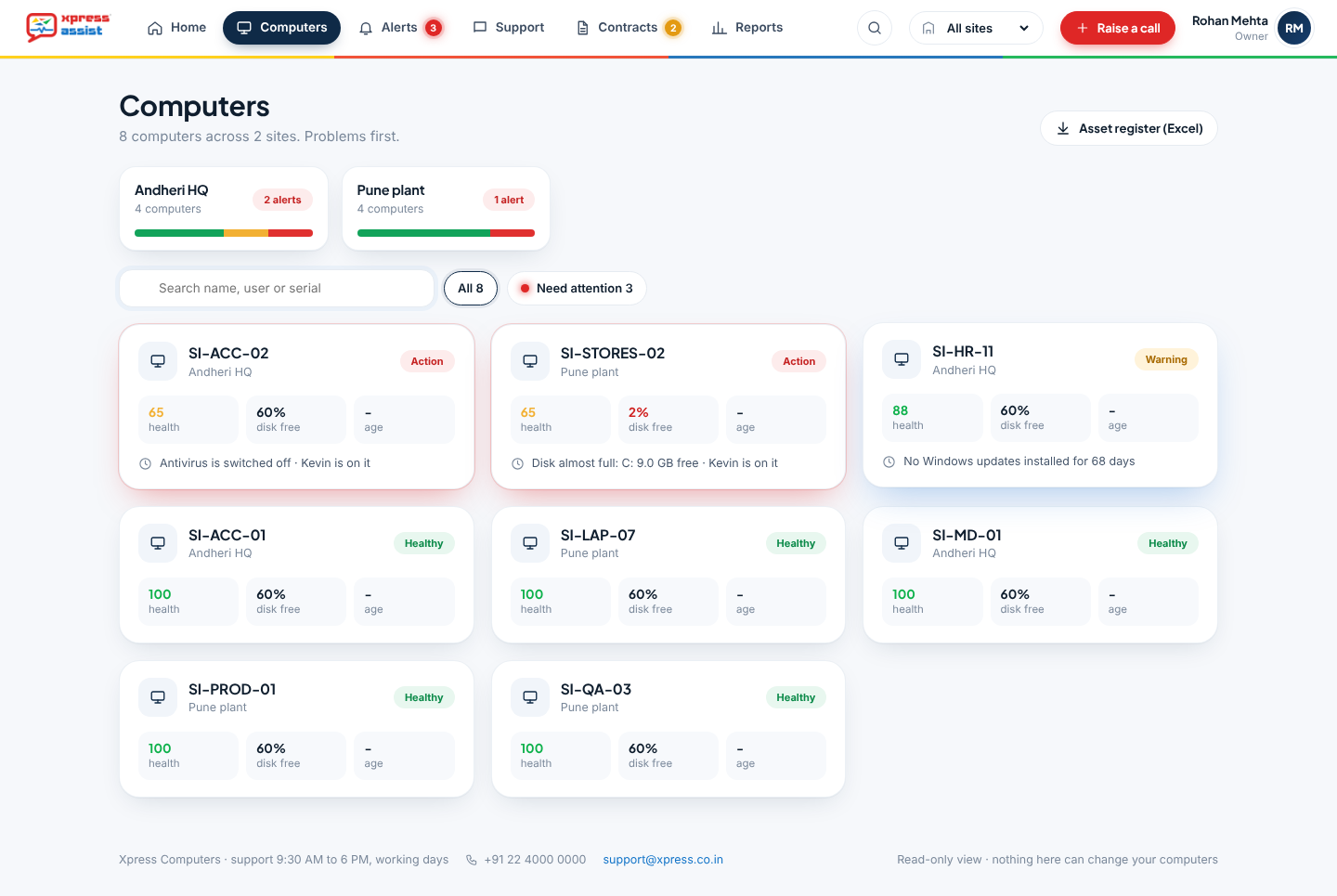
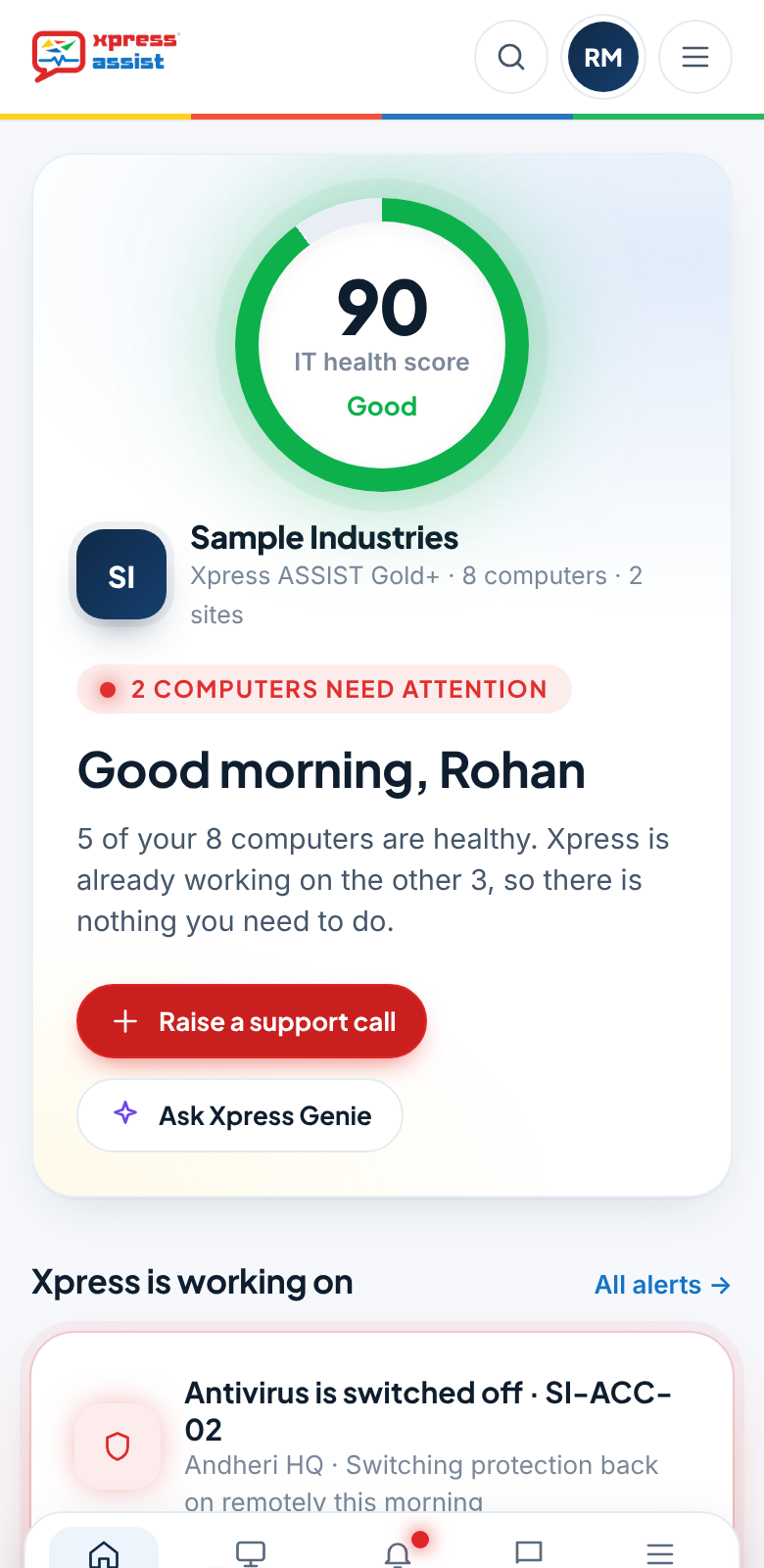
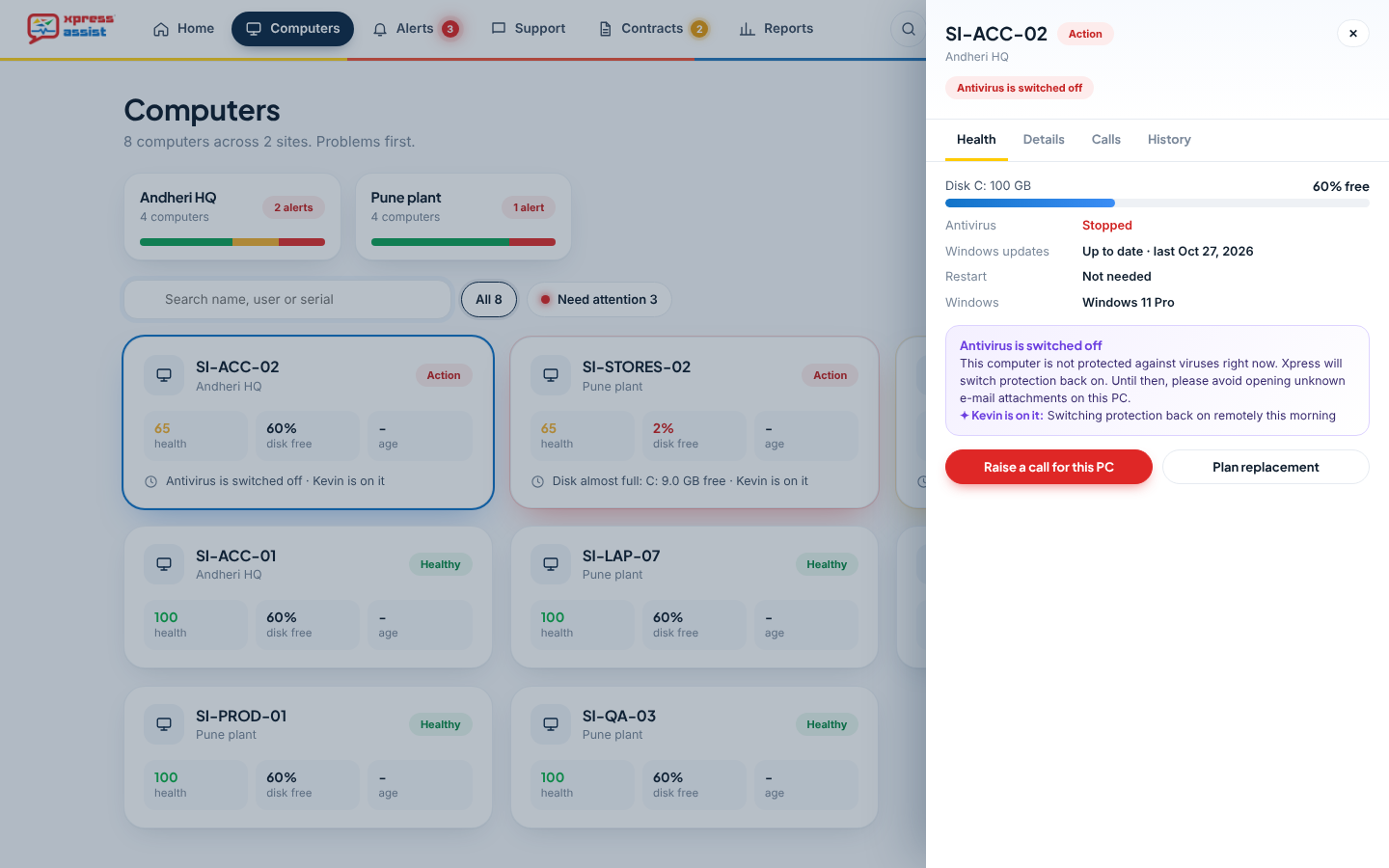
Sign in from any browser or phone to see the health of every PC and server, at every office, branch and work-from-home desk, anywhere in the world.
- IT health score and live status by site
- Health alerts for antivirus, disk, backups and Windows updates
- Every system with its user, age, Windows version and health
- Owners, site managers and viewers each see only what they need
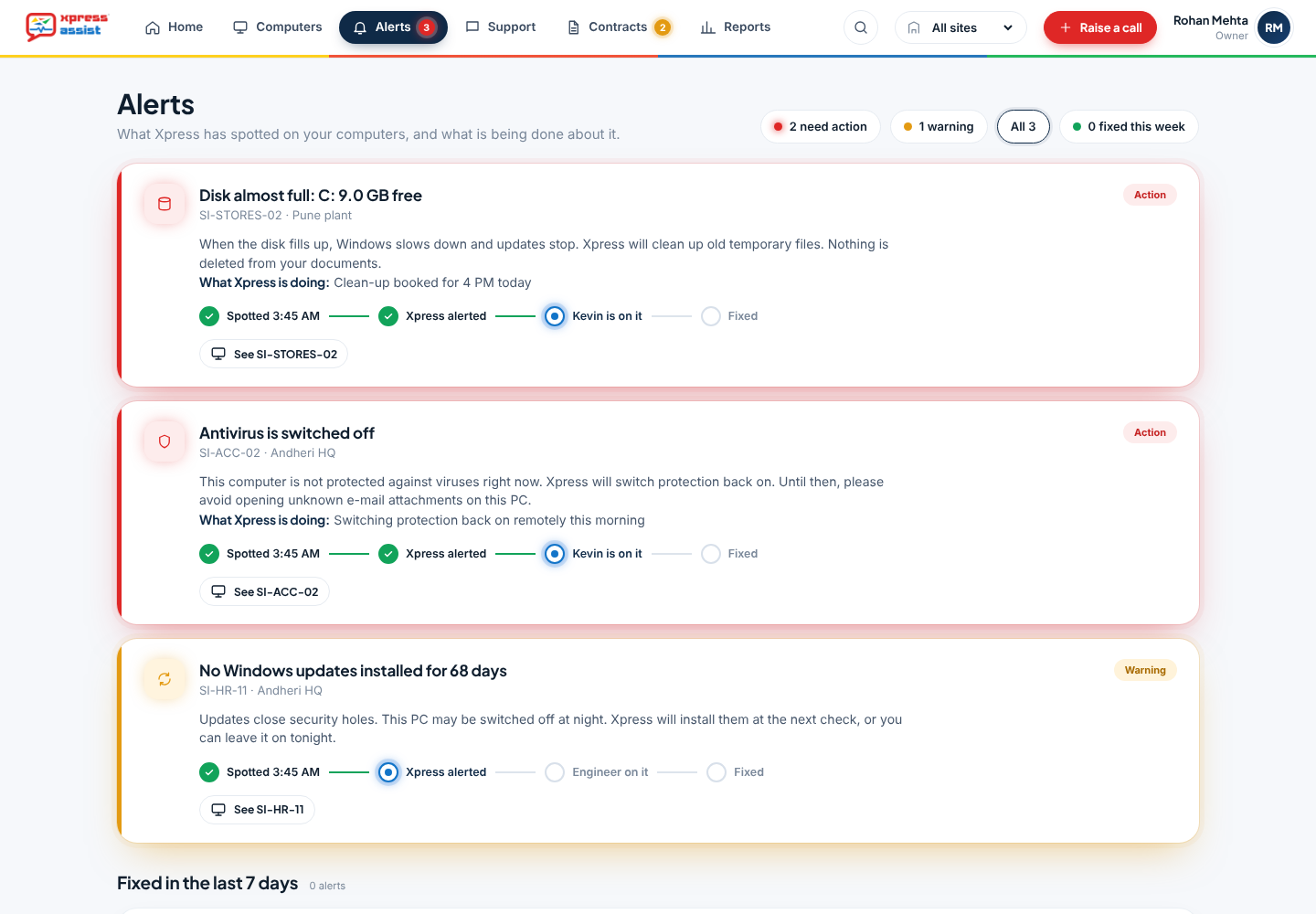
Alerts that tell you what we're doing about them
Every alert explains the problem in plain English, and shows where it stands: spotted, Xpress alerted, a support technician on it, fixed. No chasing, no guessing.
- Disk space, antivirus, Windows updates, backups and more
- What it means for you, and what Xpress is doing
- A record of everything fixed in the last 7 days
Log a support case in seconds
Pick the PC, describe the problem and send. Your call is logged with Xpress straight away, with the PC's current health attached, and you can follow it until it's resolved.
- Raise a call for any PC, from anywhere
- Call number and progress shown in the control panel
- A "resolved" e-mail when it's closed
Contracts, renewals and assets, sorted
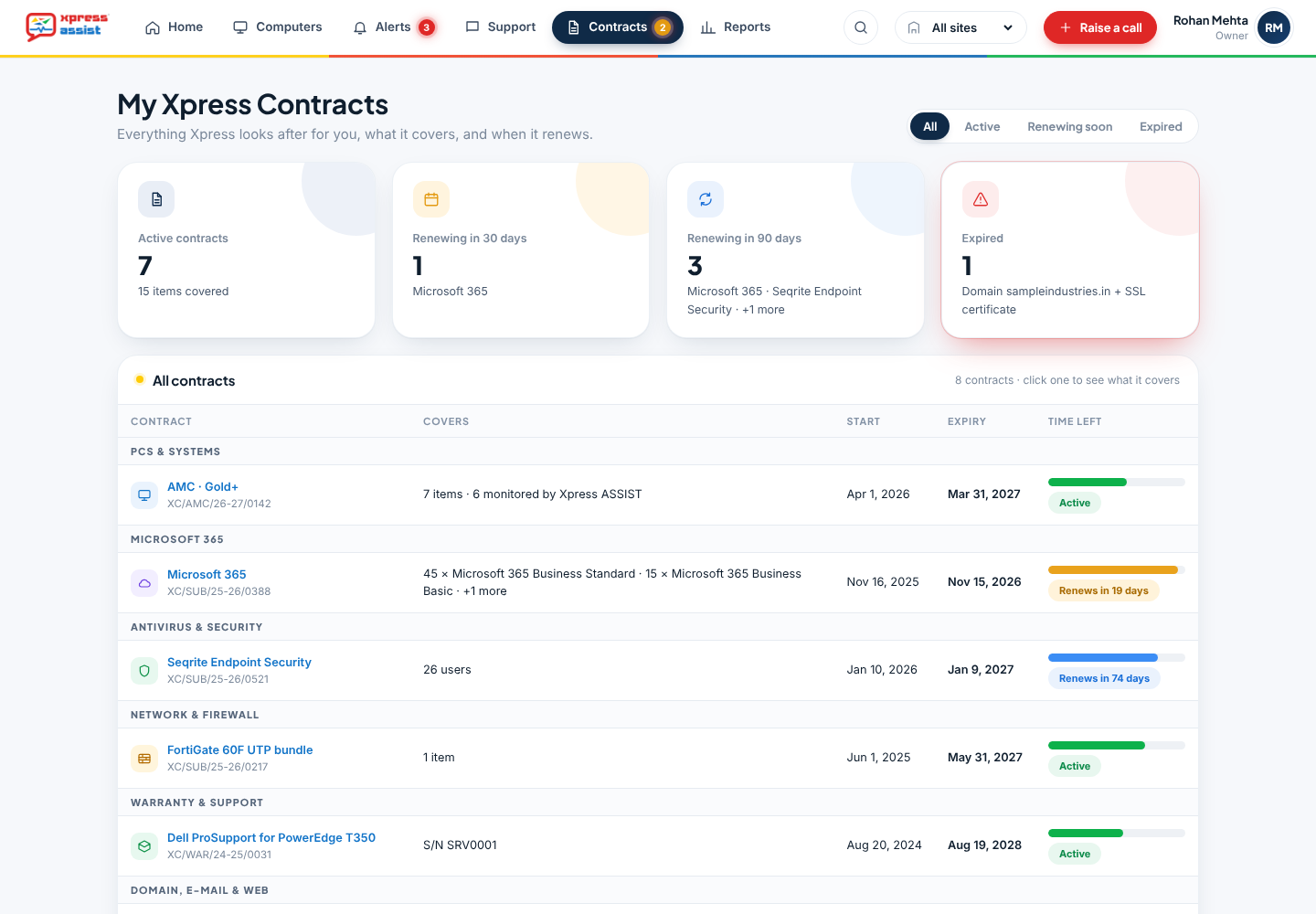
Every contract you have with Xpress, from your AMC to Microsoft 365, antivirus, backup and firewall licences, with what each one covers and when it ends.
- Renewals due in 30 and 90 days
- Which PCs are covered by your AMC, and which are not
- Asset list with PC age, warranty and Windows 10 upgrades due
- Request a renewal in one click
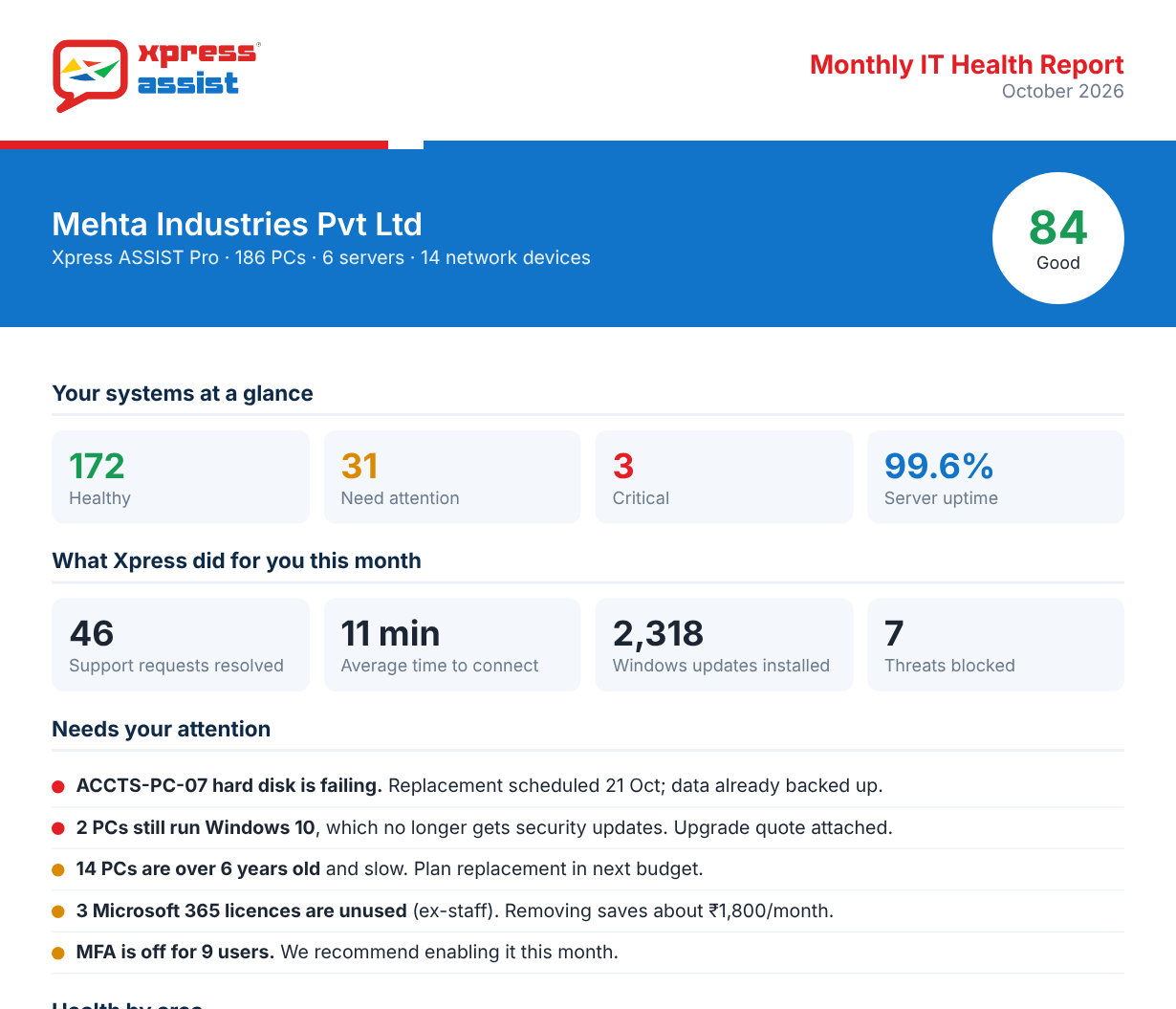
A clear report on the 1st of every month
How your systems did, what was fixed and what's coming up. Clear next steps, such as a disk to replace or PCs to plan for next year, are reviewed by an Xpress support technician before they reach you.
- Health, alerts and calls for the month
- Recommendations in plain English
- All past reports kept in your control panel